

Drift Logger · Drift telemetry app for iPhone
“That one felt good, right?”
Show off
your data.
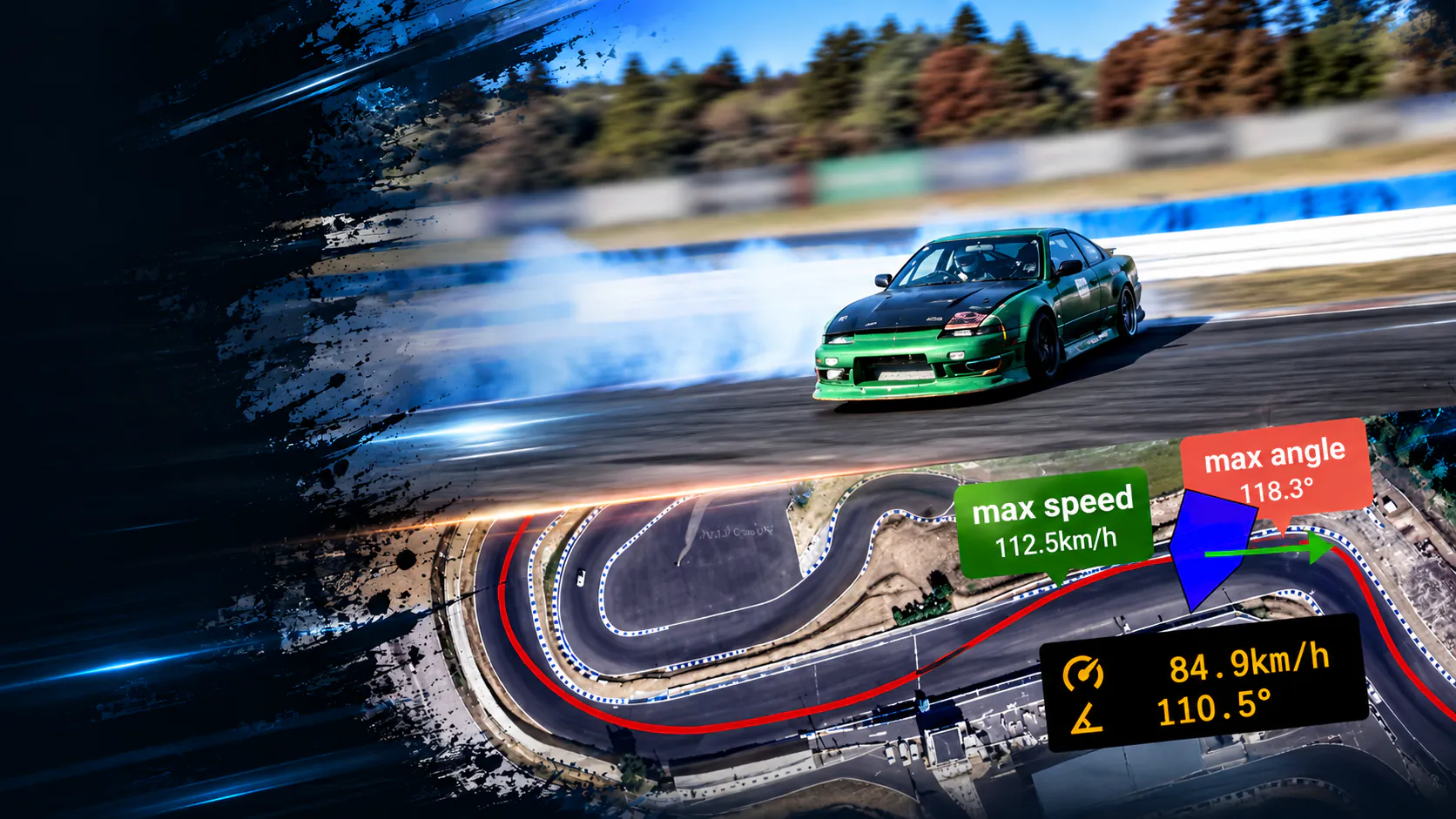
Trace your marks — line, drift angle and speed — on every run, and check that feeling against your own data. DORILOG works today with a supported GPS logger. With doripod (coming 2027), recording is automatic: drop a marker in DORILOG, then download just the section you want.
No GPS logger or doripod? Play back the built-in sample run to see how your data will look.
Recording your own runs requires a supported GPS logger or doripod. iPhone and iPad with iOS 15.6 or later.
Features
Turn feel into
something you can see
Check “I think that was a good one” against your actual line and angle. Use it to review practice, or share run data with friends.
Line view
Draws your line on the track from the position data recorded by your GPS logger or doripod, so you can see exactly where you drove through each corner.
Drift angle
The angle between where the car is pointing and where it’s actually going. Check it at any point in the run, with the maximum angle to each side pinned on the map.
Replay your run
Play a run back in real time or scrub to any point. Speed, drift angle and drift angle rate are shown on your line, so you can spot where you held the angle — and where you lost speed.
Weight transfer
Based on longitudinal and lateral G, the four tires on the car icon are shaded to show which way the weight is shifting, so you can follow the trend as you replay the run.
Download just what you need
doripod records your driving automatically. Drop a MARK in DORILOG, and later you can choose a section and download it to your iPhone. Downloaded runs are listed by date for review.
Explore a sample run
DORILOG includes data from a real run. Without a GPS logger or doripod, you can play it back right after installing and see how the line and drift angle are shown.
Scoring
We’re planning a feature that scores runs objectively from angle, line and speed.
Community
We’re planning ways to compare run data with others.
How it works
Mount. Drive.
Trace.
Use DORILOG today with a supported GPS logger and your iPhone. With doripod, the unit does the measuring and recording for you.
With GPS loggers
Available now · Supported: QSTARZ BL-818GT, BL-1000GT / Dual XGPS160
Mount GPS logger & iPhone
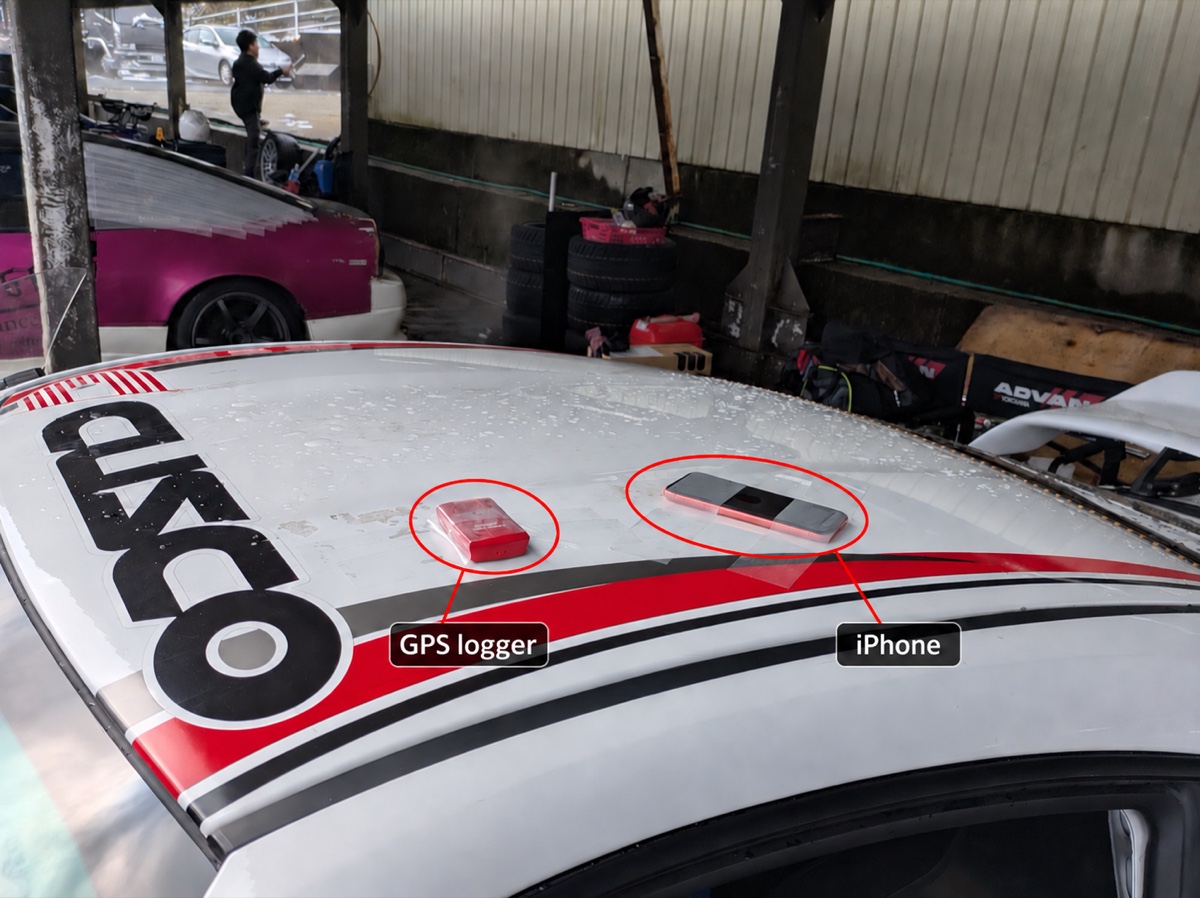
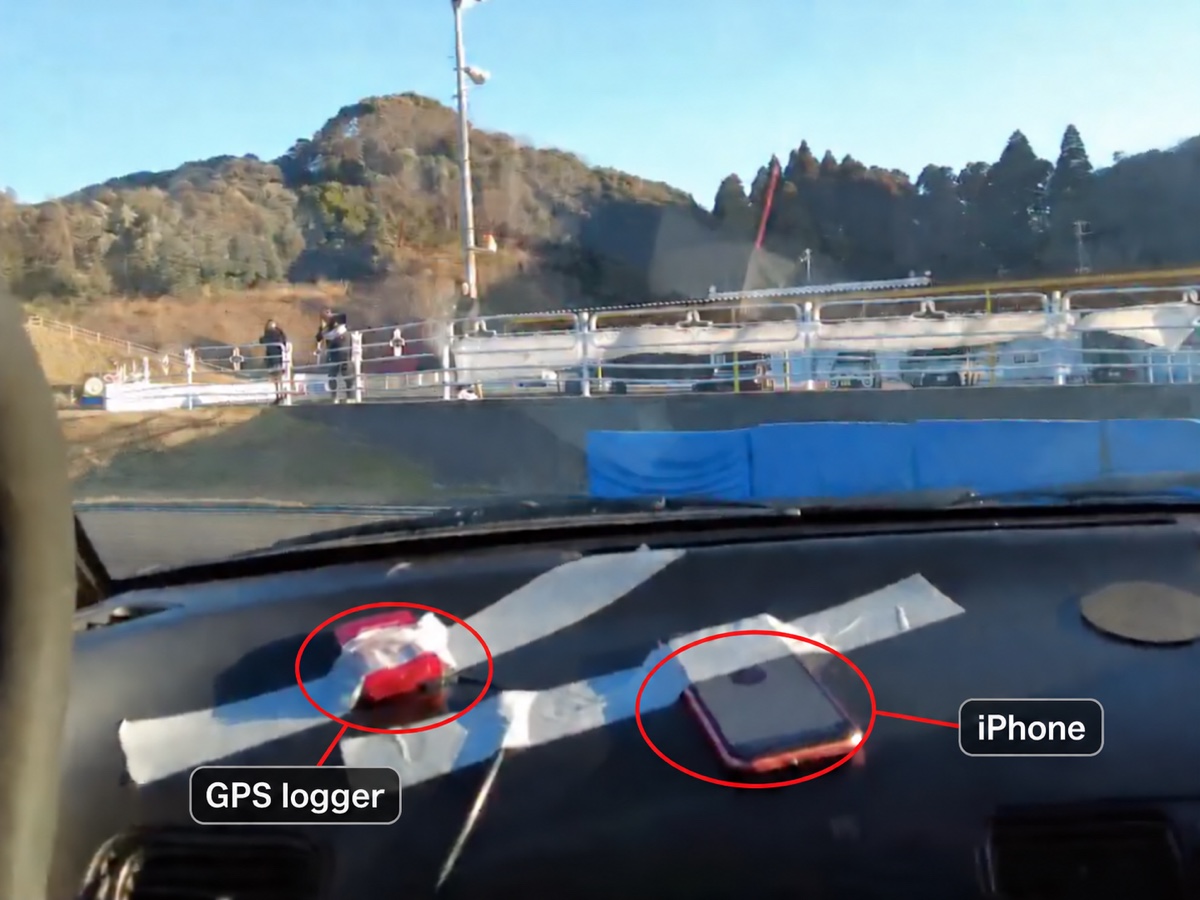
The GPS logger provides position, and your iPhone’s motion sensors provide rotation and acceleration. Because your iPhone is part of the measurement, mount it firmly so it can’t move while you drive.
Connect & drive
Connect DORILOG to your GPS logger, tap START and drive. Stop recording when you’re done — the run is saved on your iPhone.
Review on the spot
Check your line and drift angle on your iPhone as soon as you’re done.
With doripod
Available in 2027
Install doripod
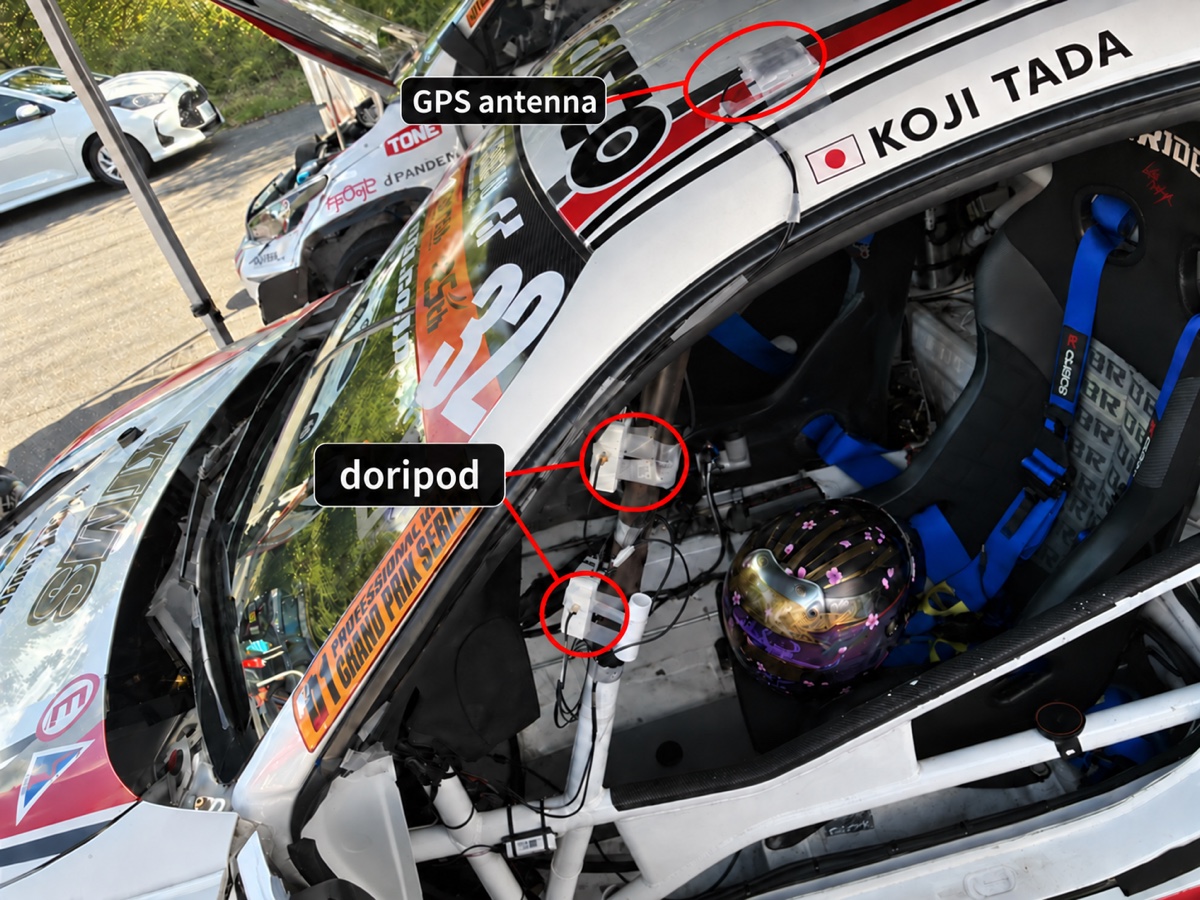
Mount it anywhere it can be held firmly. The GPS antenna is external, so you can route it to where it has a clear view of the sky. The first time, scan the QR code on the unit in DORILOG to register it.
Turn on & drive
Power doripod over USB from an accessory socket or cigarette lighter. It starts up on its own and begins recording once it picks up GPS. Tap MARK in DORILOG whenever you want to mark a point in the recording, such as when you head out or come back in. Your iPhone isn’t part of the measurement, so there’s no need to mount it.
Download & review
Back in the pits, open doripod’s recordings in DORILOG, choose a section between MARKs or the whole recording, and download it to your iPhone. Then review your line and drift angle.
On the car
Tested and proven
by CUSCO Drift Team
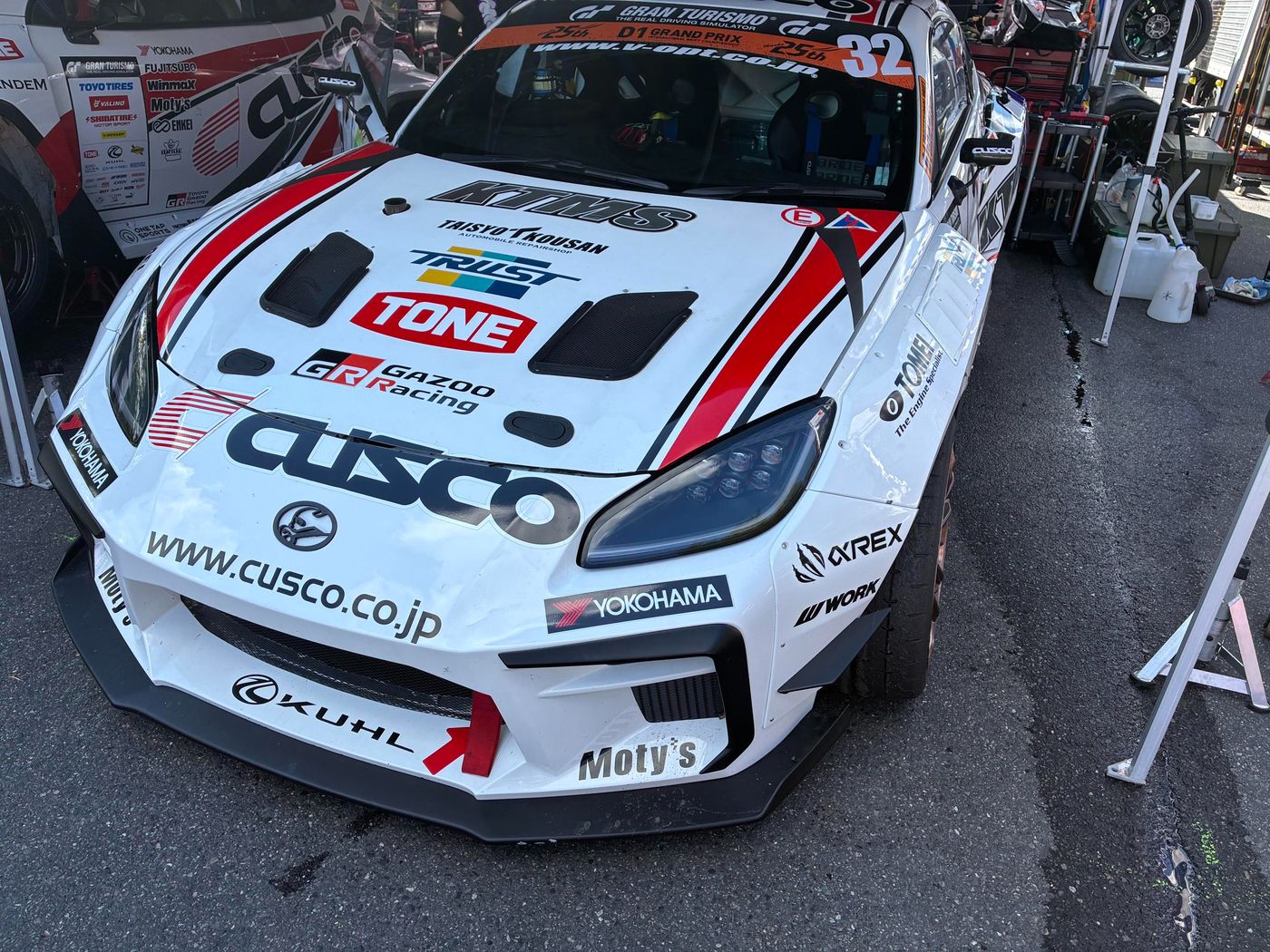
doripod prototypes are being tested in D1 GRAND PRIX competition cars, mounted on the roll cage in the cockpit to record data on every run. At CUSCO test runs and drift days, DORILOG is used with a GPS logger and an iPhone mounted on the car.
Coming soon
doripod, the unit
built for DORILOG
doripod, now in development, is an in-car unit built for DORILOG that does the measuring and recording itself. While you drive, it records to microSD automatically, without needing a connection to your iPhone. After the run, you download just the sections you need to DORILOG over Wi-Fi. Firmware updates come through DORILOG too. We’re aiming for an accessible price and Android support.
From D1
to drift days,
refined at the track
- Tested in competition
Runs in CUSCO’s D1 GRAND PRIX competition cars, refined with real competition data.
- Pros and amateurs
At drift days of all kinds, pro and amateur drivers run it in their own cars, and we collect and analyze that data every day.
- Built as one system
doripod is designed to work with DORILOG, and its accuracy is tuned together with the app.
FAQ
FAQ
For anything else, please contact Support.
How accurate are drift angle and speed?
Typical measurement accuracy:
Drift angle:
Above 60 km/h: 0.5–0.7°
20–60 km/h: 1–2°
Below 20 km/h: about 4°
Speed: about ±0.18 km/h
* Measured with doripod prototypes.
* Accuracy varies with the measuring environment and driving conditions.
Can I record with just my iPhone?
No. Recording your own runs requires a supported GPS logger or doripod. (Without either, you can still play back the built-in sample run.)
iPhone location is built to pinpoint where you are, so it corrects each position and updates relatively slowly. That’s ideal for maps, but it can’t follow a drifting car closely enough to measure drift angle accurately.
With a GPS logger, the logger provides position and your iPhone provides rotation and acceleration, so mount your iPhone firmly in the car.
With doripod (planned for 2027), the unit does all the measuring and recording, so there’s no need to mount your iPhone. You use it to tap MARK and to download and review your runs. Android support is also planned.
Can I use a third-party GPS logger?
Yes. Supported loggers are the QSTARZ BL-818GT and BL-1000GT (Bluetooth Low Energy) and the Dual XGPS160. The dedicated doripod unit is planned for release in 2027.
Is Android supported?
Only iOS for now. Android support is planned together with doripod.
Do I need to create an account?
No. You can use DORILOG without an account. Runs you record or download are stored on your device.
Can I use it on public roads?
DORILOG is meant for circuits, drift days and other permitted venues. Do not drift on public roads.
When will doripod be released?
We plan to release it in 2027. The release date and price will be posted on this site.
What does MARK do on doripod?
MARK places a marker in doripod’s recording. doripod records your driving automatically — MARK doesn’t start or stop recording.
Tap it whenever you like, such as when you head out or finish a run. When you download later, you can choose the section between two MARKs.
Even without MARKs, you can download the whole recording.
You tap MARK on DORILOG’s recording screen, which connects to doripod over Wi-Fi.
How is doripod powered?
doripod is powered over USB-C from a standard USB car charger in the cigarette lighter socket. It starts up automatically when power comes on.
There’s no built-in battery, because temperatures inside a car can get extreme. If power drops out for a moment, a built-in supercapacitor keeps doripod running.
See your next run
in the data
DORILOG is available on the App Store.
No hardware? Play back the built-in sample run.